
VIN guide
Where to find your VIN
Your Vehicle Identification Number is a unique 17-character code. Once you locate it, you can run a free VIN check to confirm year, make, model, and available specs.
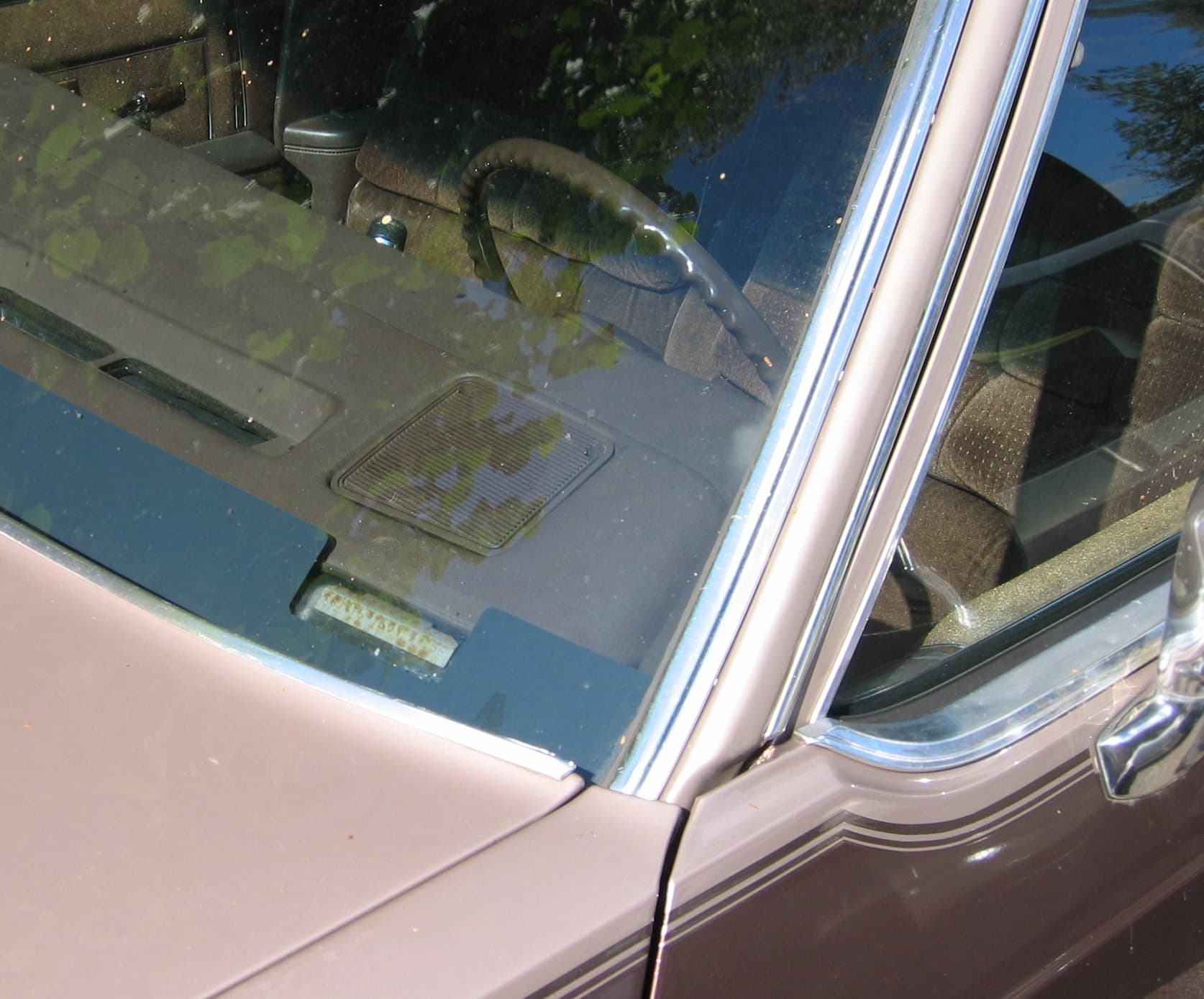 DashboardAlso on door jamb & paperwork
1HGCM82633A004352
Example · 17 characters
Found your VIN? Check it free
Enter the 17-character VIN to identify the vehicle. Full history records are optional and separate.
Common locations
Four places most people find it
Start with the vehicle itself, then fall back to paperwork if the plate or sticker is hard to read.
Location 01
Dashboard near windshield
Visible through the windshield on the driver side.
Stand outside the vehicle and look through the windshield at the lower driver-side corner of the dashboard.
Location 02
Driver-side door jamb
Printed on a sticker on the driver's door frame.
Open the driver's door and check the sticker or metal plate on the door frame near the latch.
Location 03
Vehicle registration
Listed on your state vehicle registration.
State registration cards and renewals usually list the VIN near the vehicle description.
Location 04
Insurance documentation
Included on most insurance cards and policies.
Most insurance cards and policy declarations include the VIN for the covered vehicle.
Before you search
How to read a VIN correctly
17 characters only
Modern passenger vehicles use a 17-character VIN. Shorter or longer strings are usually incomplete or incorrect.
No I, O, or Q
Valid VINs exclude the letters I, O, and Q to avoid confusion with 1 and 0. If you see those letters, double-check the plate or sticker.
Match listing photos
When buying used, confirm the VIN on the vehicle matches the seller listing, title paperwork, and any report you purchase.
Common mistakes to avoid
- Confusing the VIN with a partial serial number or engine code
- Misreading 0 as O, or 1 as I, when copying from paperwork
- Using a photo of a different vehicle's VIN from a listing
- Skipping the state when searching by license plate instead
Next steps
From finding the VIN to checking it
- 1
Locate the VIN
Check the dashboard near the windshield, the driver-side door jamb sticker, vehicle registration, or insurance documents.
- 2
Confirm 17 characters
A modern VIN has exactly 17 characters using letters and numbers. It never includes I, O, or Q.
- 3
Enter it for a free check
Use the VIN on STATEVIN to identify year, make, model, and available specifications before deciding on a full history report.
VIN location questions
- Where is the VIN on most cars?
- The two most common locations are the dashboard near the windshield (visible from outside on the driver side) and a sticker on the driver-side door jamb. Registration and insurance documents also list the VIN.
- What if I cannot find the VIN on the vehicle?
- Check your registration card, title, or insurance documents. If you only have a US license plate, you can try a plate lookup with the issuing state — where supported, it resolves to a VIN for identification.
- Is the VIN the same as the license plate?
- No. A license plate is issued by a state and can change when a vehicle is sold or re-registered. The VIN is permanently assigned to the vehicle and does not change with ownership.
- Can I check a VIN for free?
- Yes. STATEVIN offers a free vehicle identification lookup that validates the VIN and returns available specifications such as year, make, and model. Full history categories require a separate paid report.